For restaurants
Reservations, a POS and loyalty for your restaurant
Take table bookings from members and from guests without an account, see each party's allergies before they arrive, and check them in by scanning the QR in their confirmation email. Your regulars earn points on every bill.
Start free with 1 credit. Questions? Chat with USEDATA Support on WhatsApp
What you get
Bookings from your QR or link
Guests pick a day and time, the adults and children coming, baby chairs and any allergies. Members book from their wallet; anyone else books as a guest with just an email.
Only the tables you can seat
Set your booking times, how far ahead people can book, and how many bookings each slot takes by party size. Confirm each request yourself, or let bookings confirm themselves.
Check in with the booking QR
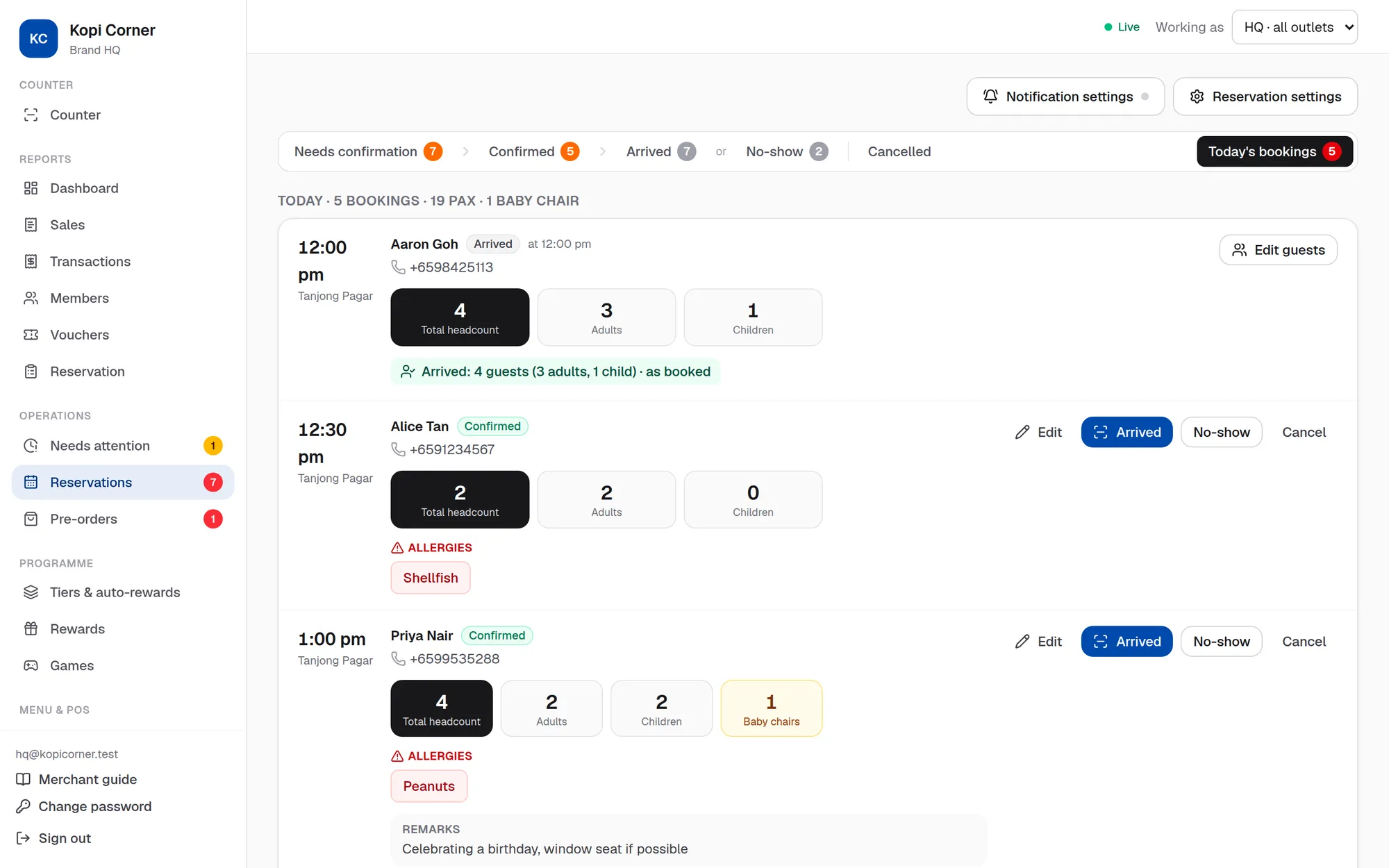
Every confirmed booking has its own QR in the email and on the booking page. Scan it at the door to find the booking with its party, allergies and remarks, and record who came.
Allergies where your staff see them
Allergies noted on a booking show on the reservation and as an allergen notice when that member is at the POS.
A POS for dine in and take away
Combos, option groups, service charge for dine in only, GST inclusive or added, and receipts with your company and GST registration number.
Fewer no-shows to guess at
Bookings not checked in are flagged as no-shows, and the Reservation report compares guests booked with guests who came, by day.
See it in a minute: book a table
Mei Ling books as a guest with a peanut allergy noted. Staff scan her booking QR at the door and seat the party.
Read the transcript
Mei Ling wants to take her family out for her mum's birthday. She opens Kopi Corner's reservation link. No sign-in needed: she books as a guest. She picks the day, the time, and a table for five. She notes a peanut allergy, and a remark: it's her mum's birthday. At the store, the team sees her request, allergy and all, and taps Confirm. Mei Ling gets an email. Her table is confirmed, with her own booking QR. On the day, she shows the booking QR at the door. The staff tap Scan booking QR, and scan it. Her booking comes up with the allergy and remarks, so they check the party in. Checked in. Time to show them to their table! Table bookings made easy, with USEDATA Loyalty.
Set it up with the merchant guide
Questions
- Can customers book a table without signing up?
- Yes. Your outlet's reservation QR or link lets anyone book as a guest with their email. They get a confirmation email with a calendar invite and their booking QR, and can join your programme later.
- How do we check guests in?
- Scan the booking QR from their email or phone with the portal's Scan booking QR, or press Arrived on the booking. If they can't show it, staff can check them in without the QR.
- Can we limit how many big tables we take at once?
- Yes. Bookings per slot are set by party size, for example at most four bookings of 1 to 4 people and one of 7 to 10 in each slot.
More questions? See the FAQ or chat with USEDATA Support on WhatsApp.