For home bakers and home-based businesses
Pre-orders and loyalty for home bakers and home-based businesses
Stop taking orders over chat and tracking them in a spreadsheet. Customers pick their items, options and a pick-up or delivery time, pay by PayNow to your own QR, and upload their payment screenshot for you to check. You see exactly what to prepare each day.
Start free with 1 credit. Questions? Chat with USEDATA Support on WhatsApp
What you get
Orders in one list, not in your chats
Every order arrives with its items, options, pick-up or delivery time and contact details, sorted by day, with a chime and phone notifications until you handle it.
Paid by PayNow, checked by you
Customers pay to your own PayNow QR and send a screenshot. You check it against your bank app and confirm. Take full payment, a deposit, or payment on collection.
Only what you can make
Pick-up slots within your hours, a preparation time that grows with the order, closed dates, a minimum order and stock limits per item for seasonal bakes.
Pick-up or delivery
Offer self-collection, delivery or both, with a delivery fee that's free above an amount you choose, and their own times and payment rules.
Customers kept in the loop
They get an email when you confirm, when the order is ready or out for delivery, and when it's collected, and see its status on their phone.
Repeat customers rewarded
Collected orders earn points toward your rewards, and members can use their vouchers on their next order.
See it in a minute: pre-order
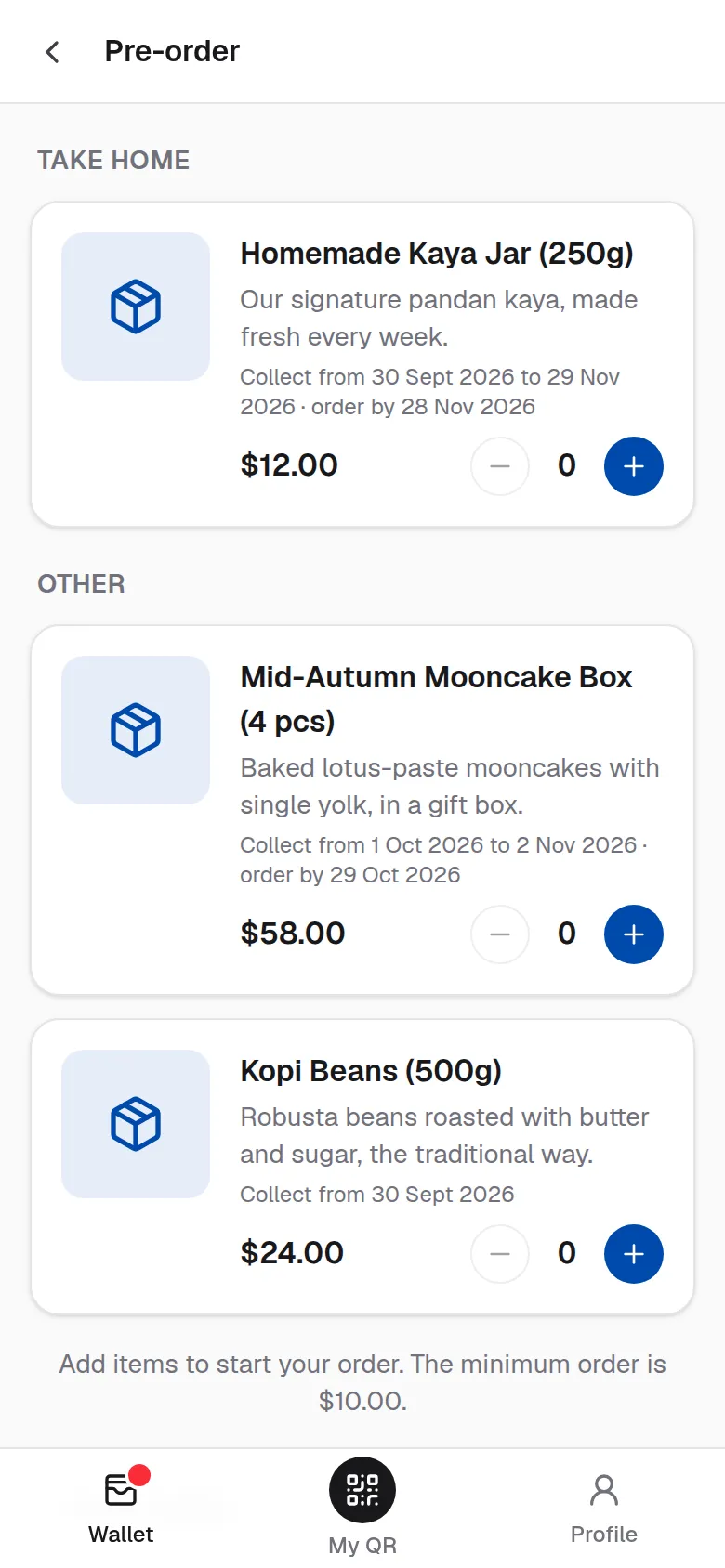
Mooncakes with a $5 voucher, paid by PayNow to the store's QR. The store checks it and emails her at each step.
Read the transcript
Mid-Autumn is coming, and Rachel wants mooncakes for the family. She pre-orders from her wallet: a mooncake box and a jar of kaya. She picks a pick-up time, and ticks her five dollar voucher. It comes off the total. She keys in her passcode to use it, and places the order. Then she pays by PayNow to the store's own QR code, and uploads a screenshot. At the store, the team checks their bank app for her payment. It's there, so they tap Payment received. Rachel gets an email: her order is confirmed. On pick-up day, the team packs her order and marks it ready. Another email tells her. She collects it, and earns points on the whole order. Pre-orders made simple, with USEDATA Loyalty.
Set it up with the merchant guide
Questions
- Is PayNow payment automatic?
- No. Customers transfer to your own PayNow QR and upload a screenshot, and you (or your team) check it against your bank app before confirming the order. The money goes straight to you.
- Can I take a deposit instead of full payment?
- Yes. Choose none, a percentage deposit rounded to the nearest $1, $10 or $100, or full payment, separately for pick-ups and deliveries. The balance is paid at collection.
- Can I limit how many of an item I sell?
- Yes. Pre-order items can have stock limits, a per-order limit and dates they're available, for seasonal bakes like mooncakes or festive cookies.
More questions? See the FAQ or chat with USEDATA Support on WhatsApp.